Raise Education was built to make education saving simpler at a time when many 529 plan providers were harder to use and gifting was more cumbersome for families and loved ones. Over time, the direct experience available through plans like NY Saves improved. Families can now access the core account and gifting tools directly through their plan provider, often with the same or better functionality and without Raise sitting in the middle.
Because of that, Raise Education is being sunset. Your underlying NY Saves account remains in place, and your 529 funds remain invested there. The main change is that as of March 31, 2026, new contributions, gift contributions, and recurring contributions set up through Raise will stop on the Raise platform. If you want to make future contributions to your 529 plan, set up recurring contributions, or share your beneficiary’s account with friends and family, you’ll need to do so directly in NY Saves.
This guide walks you through how to sign in, verify your account, contribute directly, and share your beneficiary's Ugift code so friends and family can contribute too.
Before you begin
- Go to www.nysaves.org.
- Use the username and password provided in the email you received from Raise on March 26, 2026.
- If you are not sure whether your plan provider is my529 or NY Saves, refer back to that email before continuing.
Sign in to NY Saves
2. Click Log In.
3. Enter the username and password provided in the Raise email.
4. Click Next.
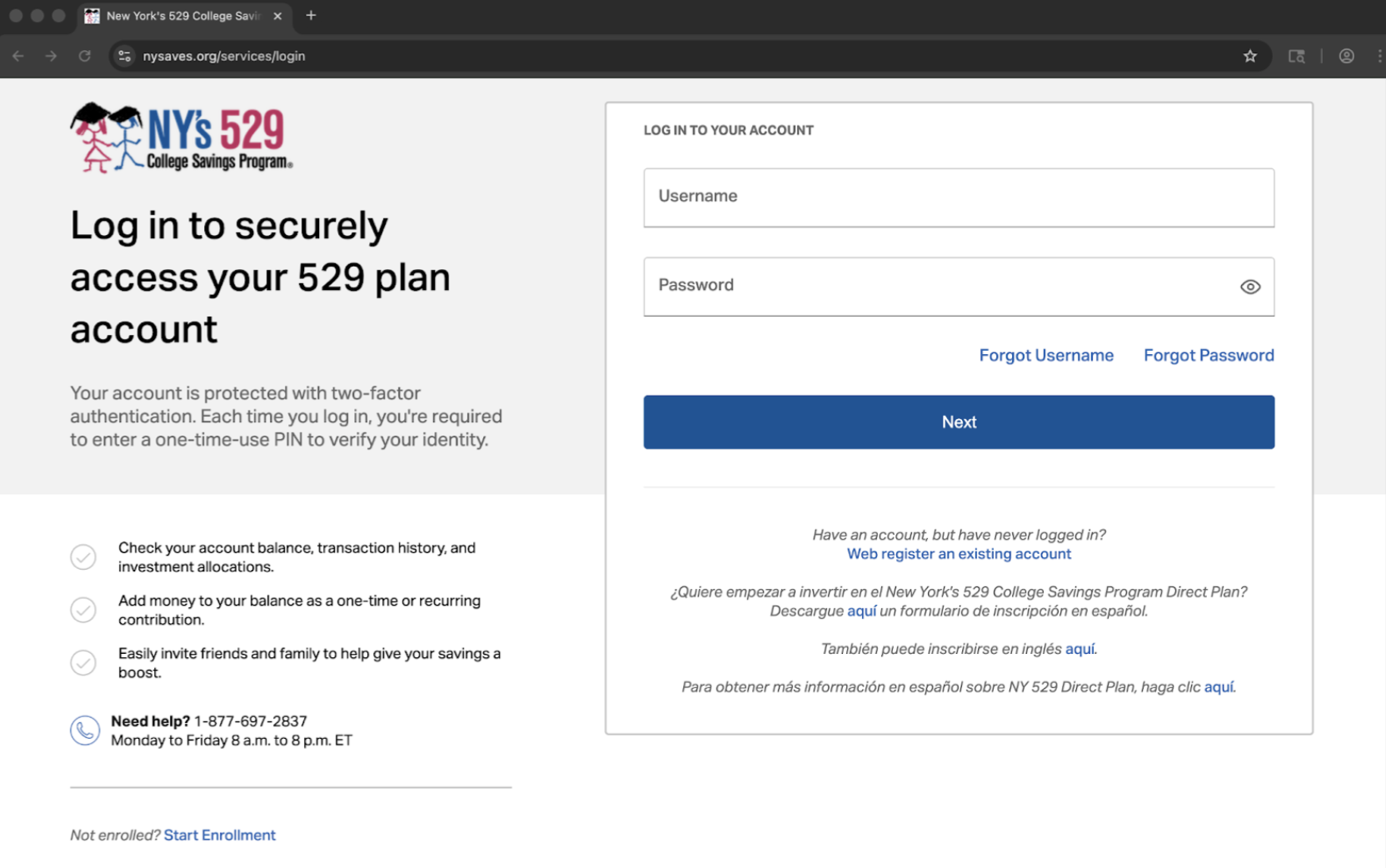
Your homepage and login screens should look similar to the examples below.
NY Saves homepage with Log In in the upper-right corner.
NY Saves login screen with the username and password fields and the Next button.
Verify the account
If NY Saves prompts you for two-factor verification, follow these steps. If you are not prompted, skip ahead to the dashboard.
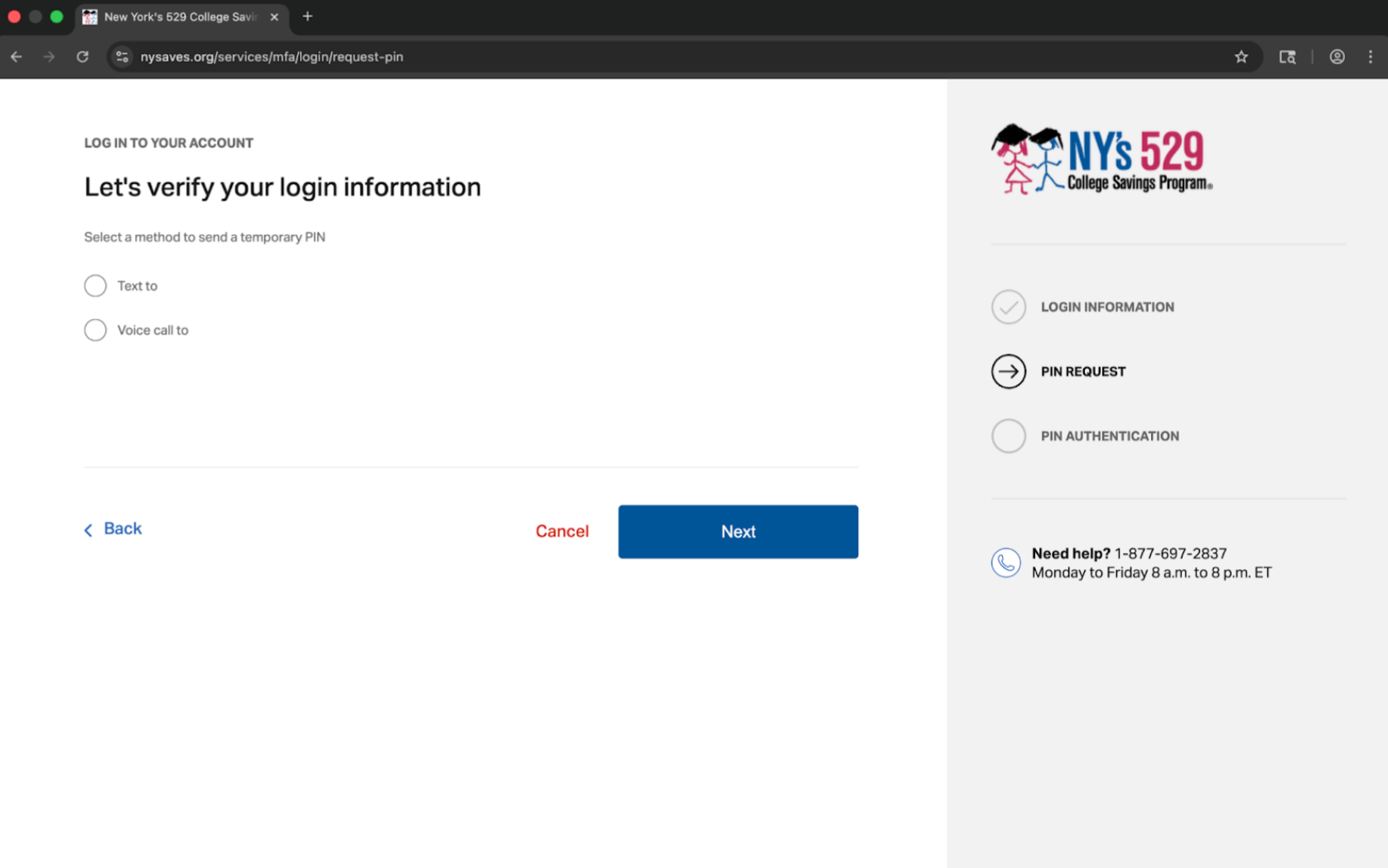
1. Choose where to receive the temporary PIN shown on screen, such as text message or voice call.
2. Click Next.
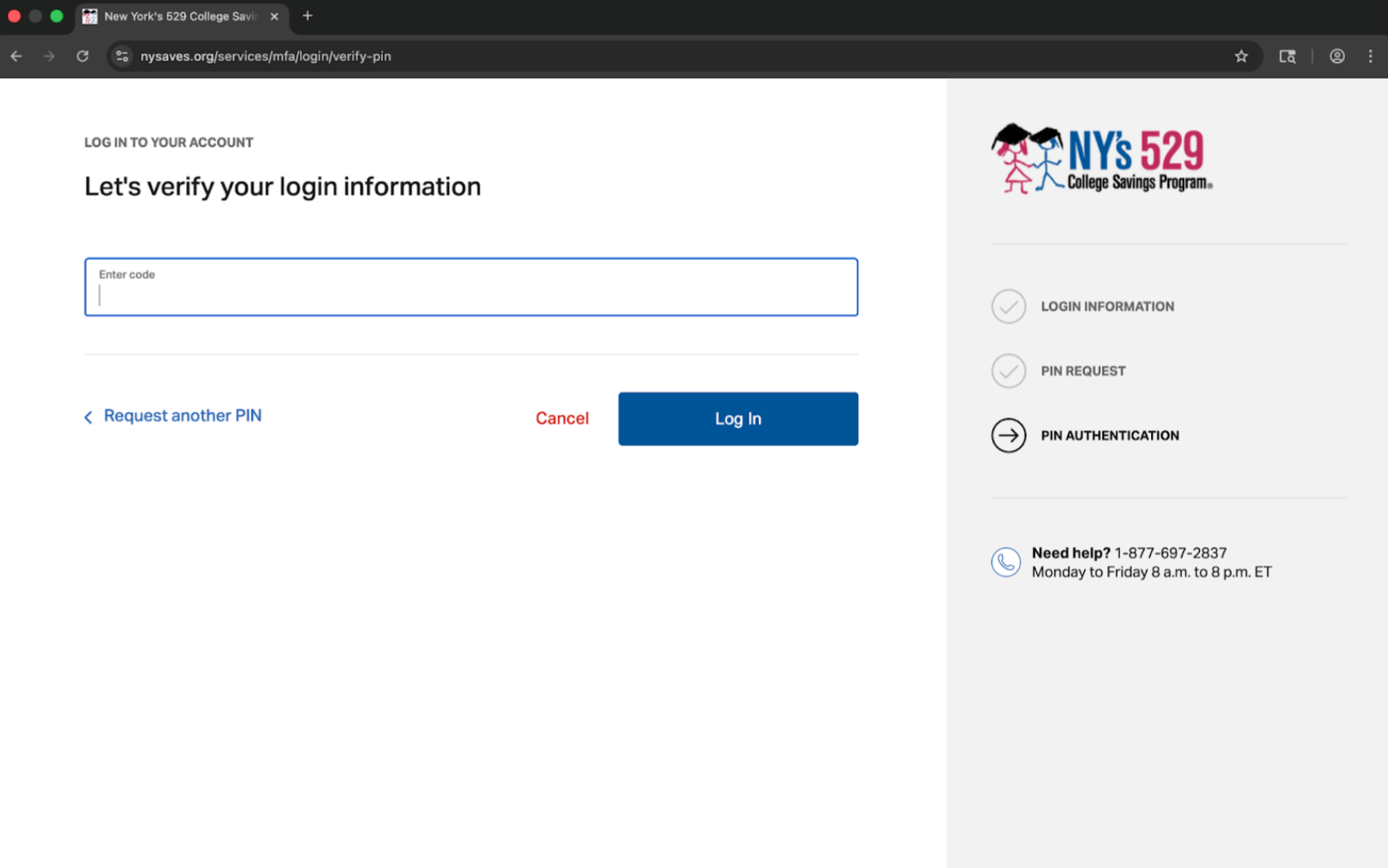
3. Enter the PIN you receive.
4. Click Log In.
Verification screen where you choose how NY Saves should send the temporary PIN.
PIN entry screen where you type the code and finish signing in.
Security best practices
1. Change your password once you're signed.
2. Set up 2-Factor Authentication (2FA).
Contribute to your beneficiary's account directly
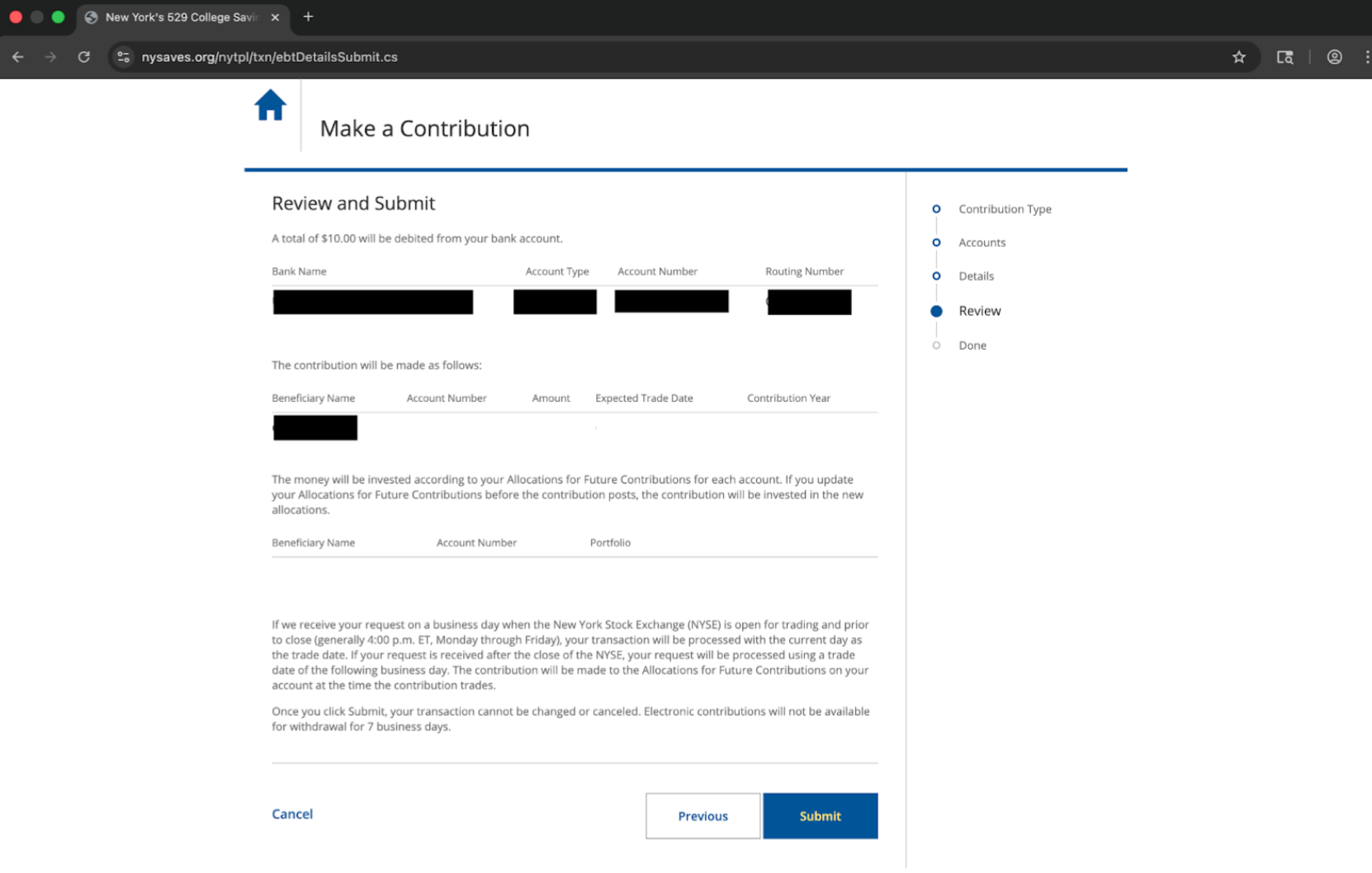
In the current NY Saves flow, contributions move through Contribution Type, Accounts, Details, and Review.
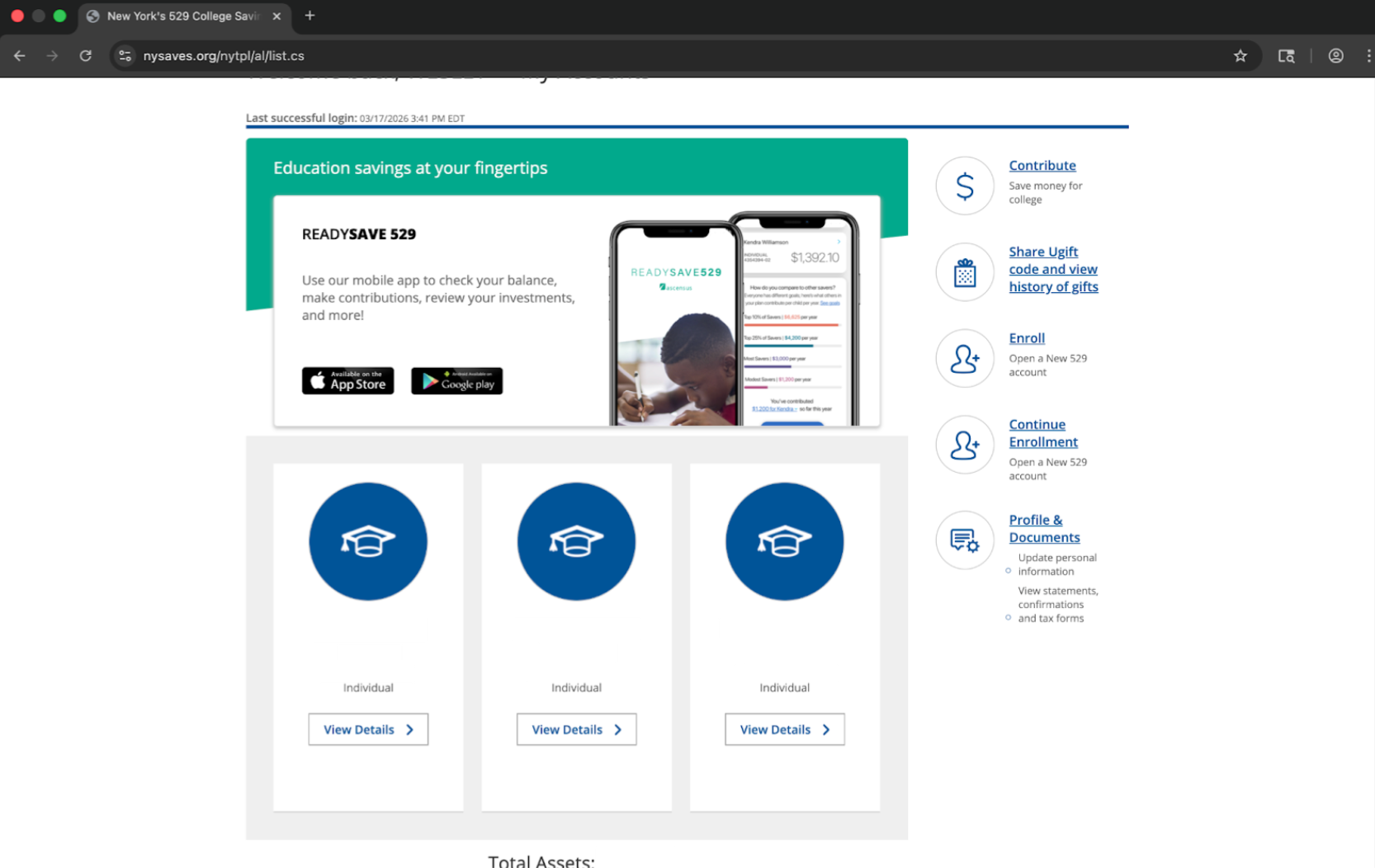
1. From the dashboard, click Contribute.
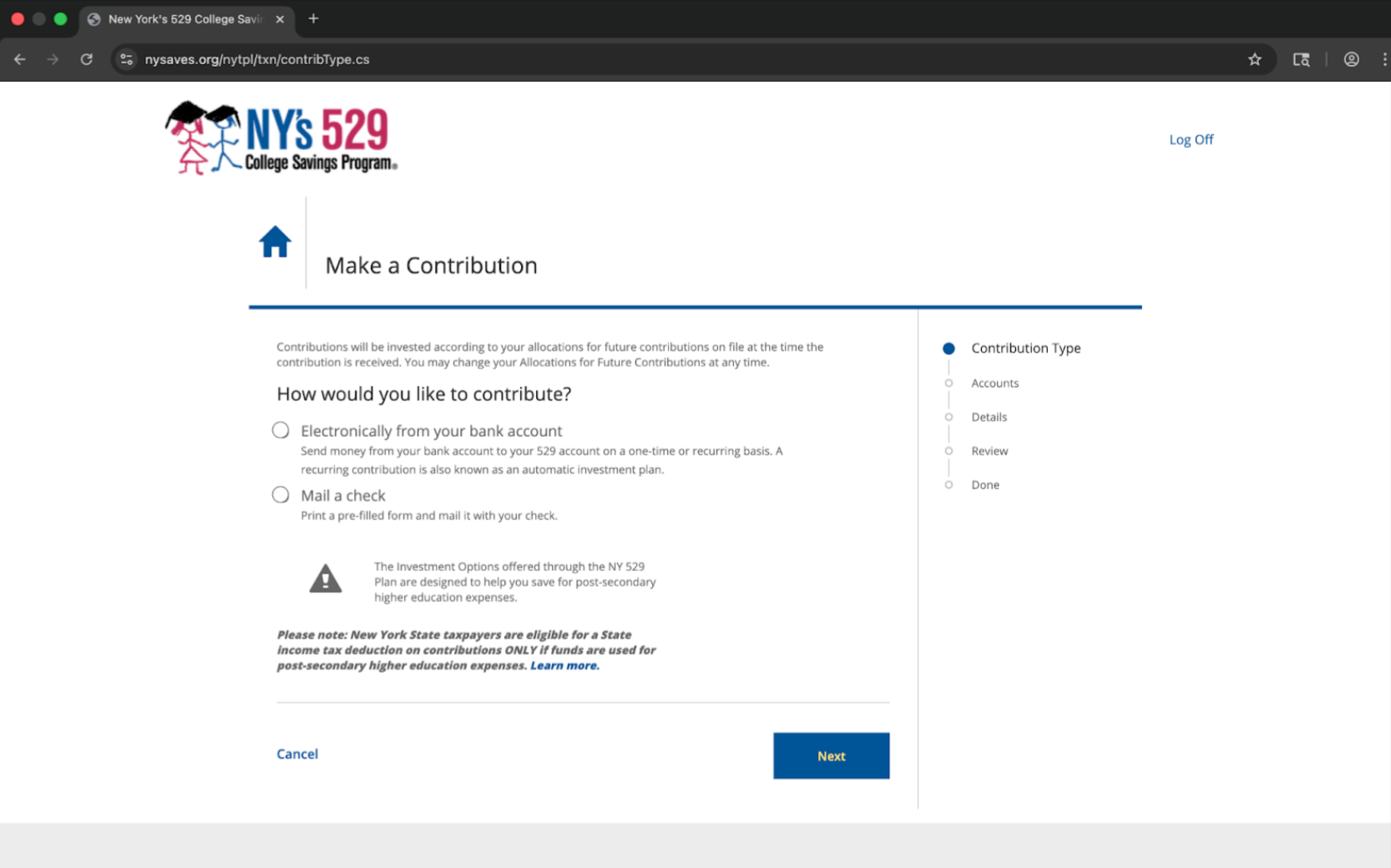
2. On Make a Contribution, select Electronically from your bank account.
3. Click Next.
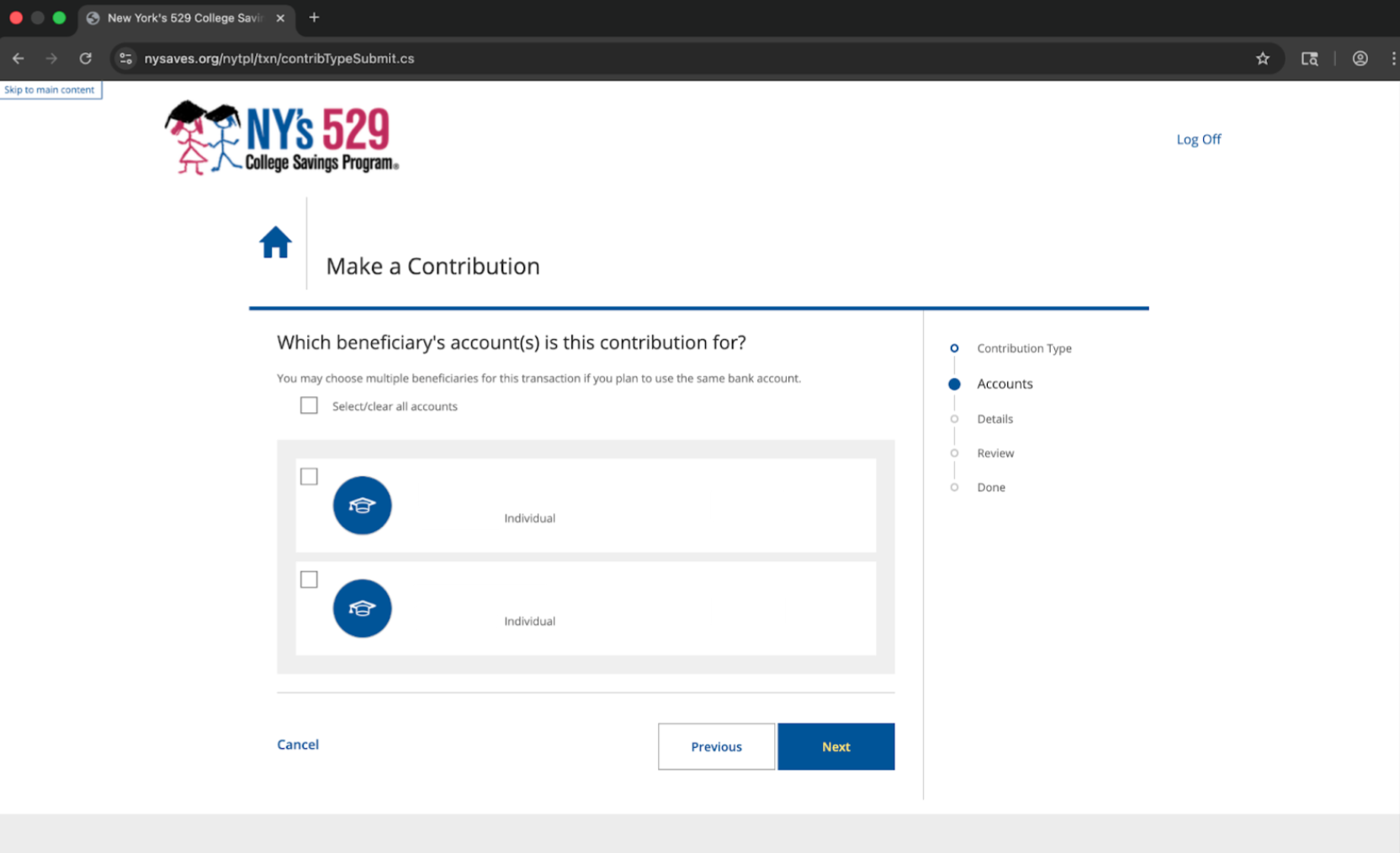
4. Select the beneficiary account or accounts you want to fund.
5. Click Next again.
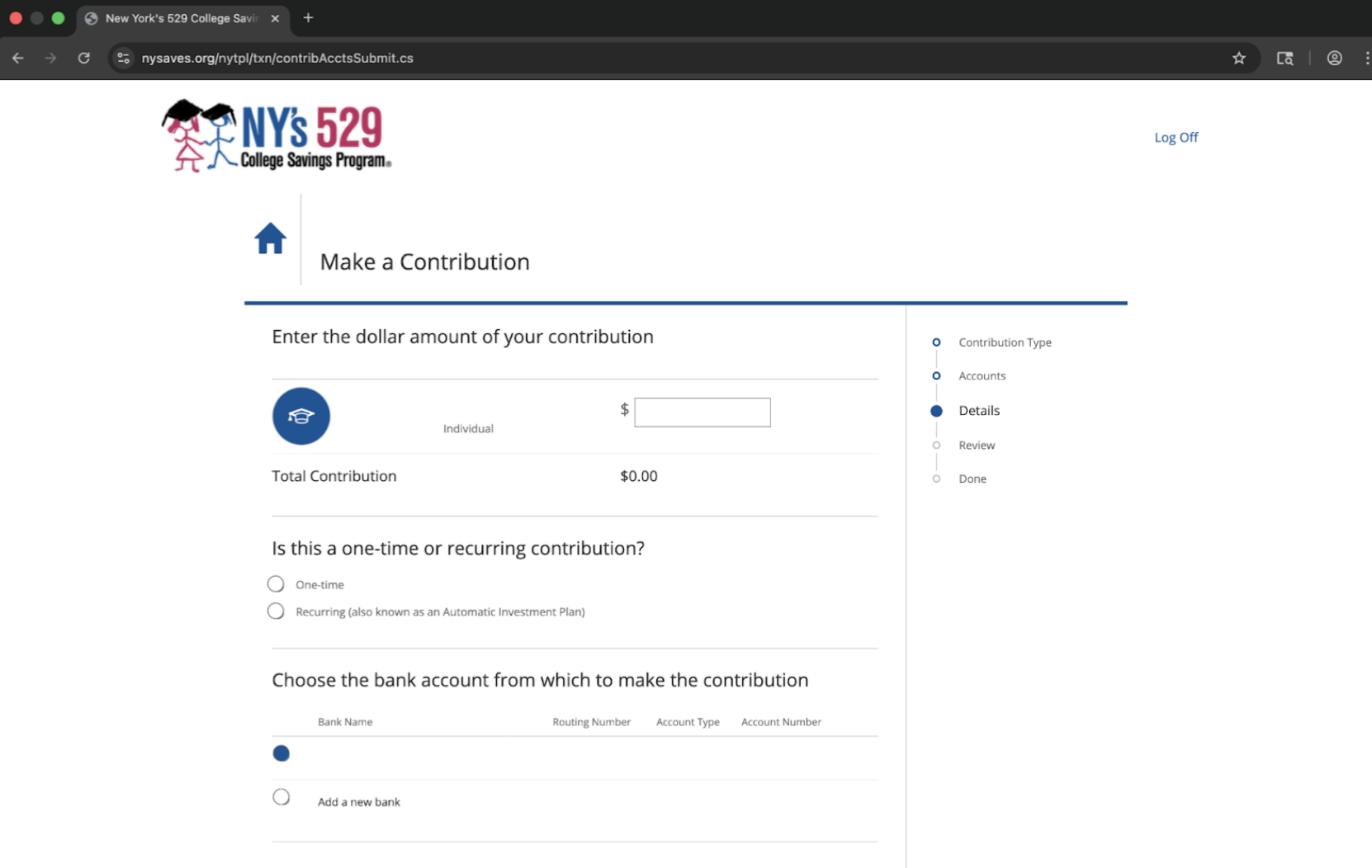
6. Enter the dollar amount.
7. Choose whether the contribution is one-time or recurring.
8. Select the bank account you want to use. If needed, click Add a new bank.
9. If you choose Recurring, complete any additional scheduling fields that appear.
10. Review the details, then click Submit.
NY Saves dashboard with the Contribute quick link.
Contribution Type step where you choose Electronically from your bank account.
Accounts step where you select the beneficiary account or accounts to fund.
Details step where you enter the amount, choose one-time or recurring, and select the bank account.
Review step where you confirm the contribution details and click Submit.
Find and share your beneficiary's Ugift code
NY Saves uses Ugift so friends and family can contribute without needing the beneficiary's account number.
1. From the dashboard, click Share Ugift code and view history.
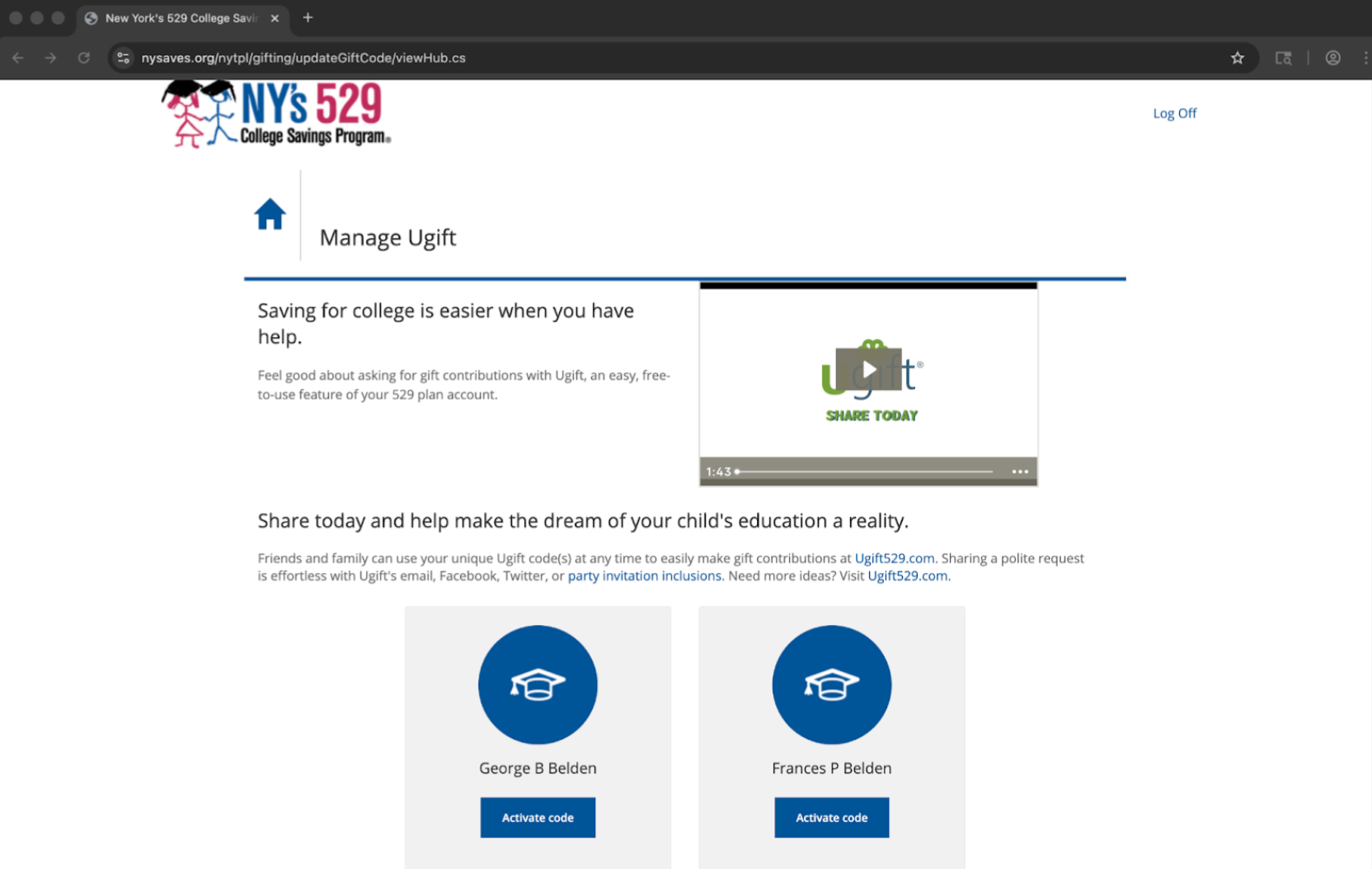
2. On Manage Ugift, click Activate code for the beneficiary if the code is not already active.
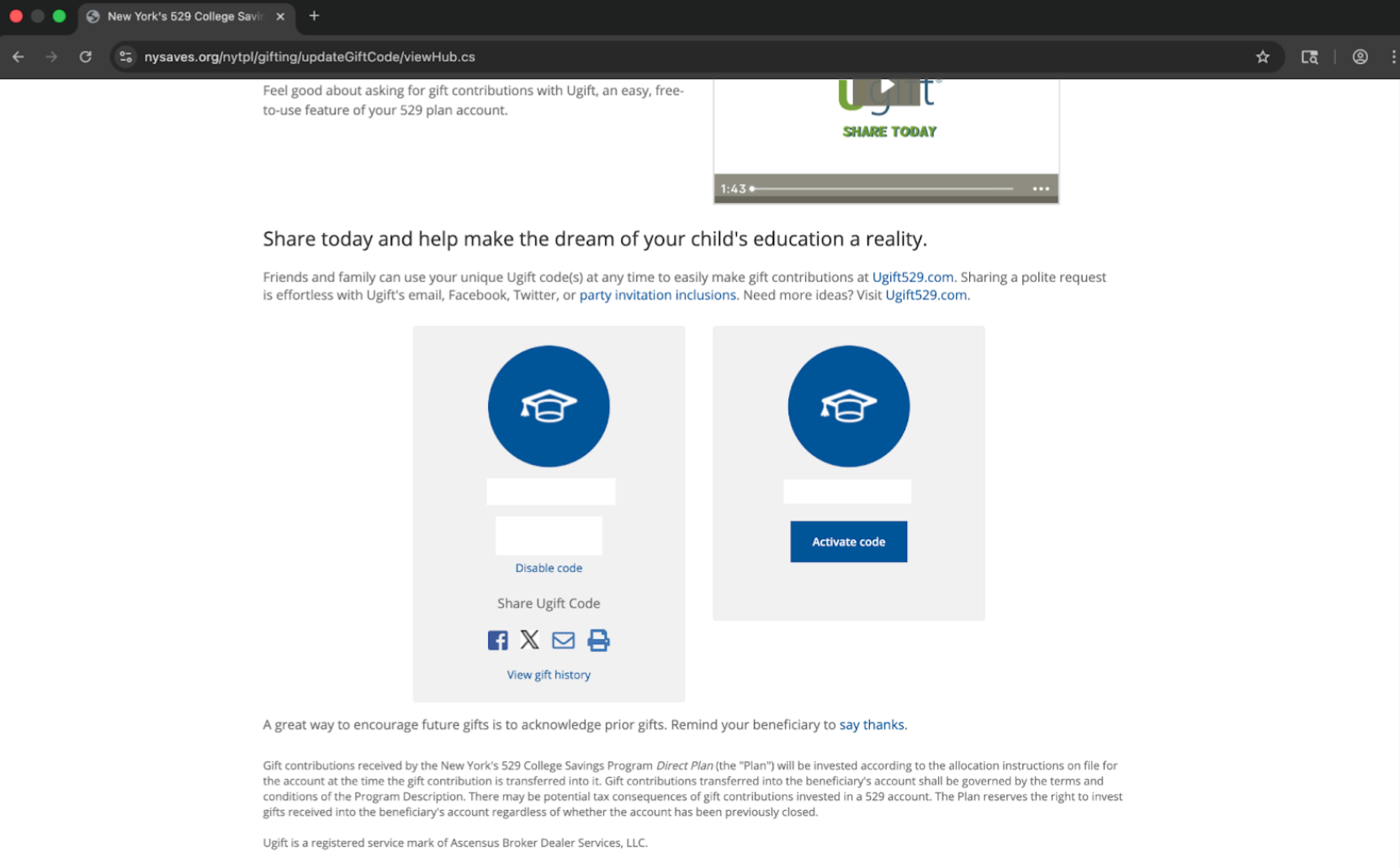
3. Once the code is active, copy the code or use the built-in share options to send it by email, text, social media, or print.
Manage Ugift screen before a code has been activated.
Manage Ugift screen before a code has been activated.
How friends and family contribute
1. Open the shared Ugift link, or go to the Ugift site and enter the beneficiary's code.
2. Enter the contributor's name and the gift amount.
3. Choose how to pay.
4. Review the details and complete the gift.
Check gift activity
1. Log in to your NY Saves account.
2. Click Share Ugift code and view history.
3. On Manage Ugift, click View gift history beneath the active code.
Need help?
Live support: Click the pink icon in the bottom-right corner of any page on our website
www.raisefinancial.com for help.